Get inspired by what you can do with Claude
Browse practical examples across research, writing, coding, analysis, and everyday tasks, whether you're working solo or with a team.
Author
Category
Model
Features
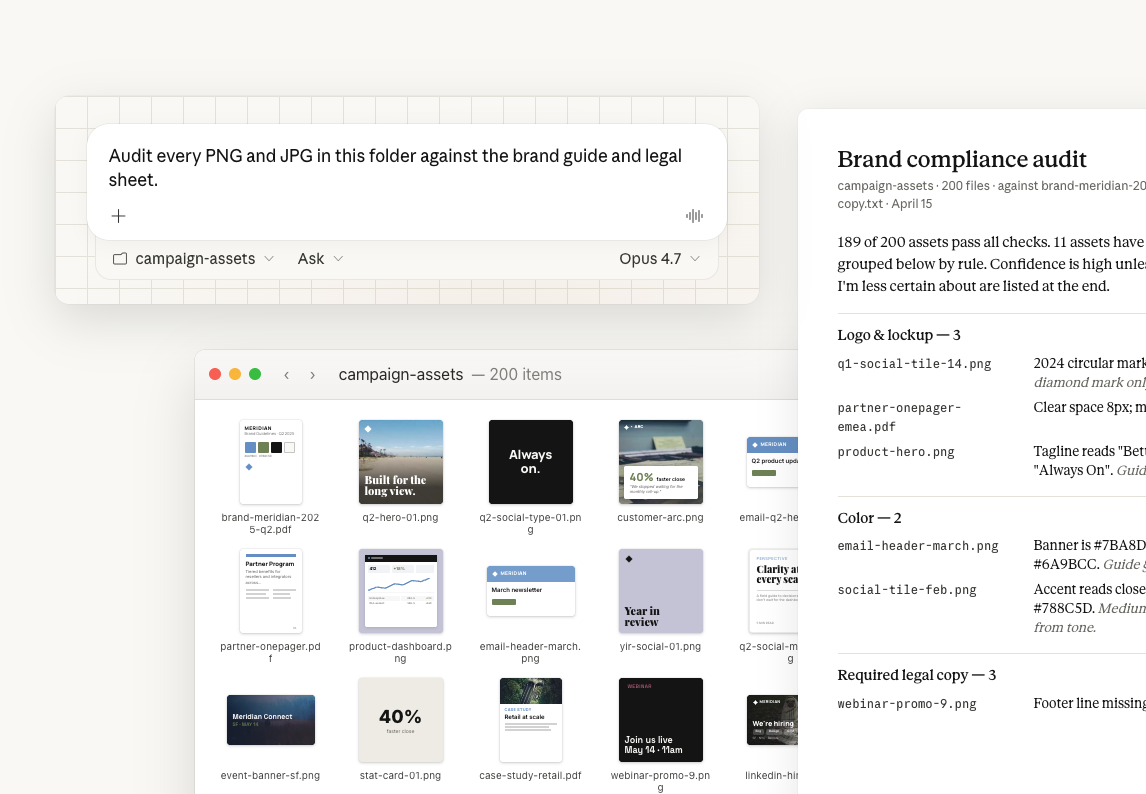
Audit a folder of visual assets against your guidelines
In Claude Cowork, Claude Opus 4.7 can read a large folder of image exports at full resolution to spot off-brand colors, outdated logos, and missing legal copy. Point Claude at your assets folder and your brand guidelines, and get back a categorized list of violations with a confidence rating on each one.
Claude Cowork
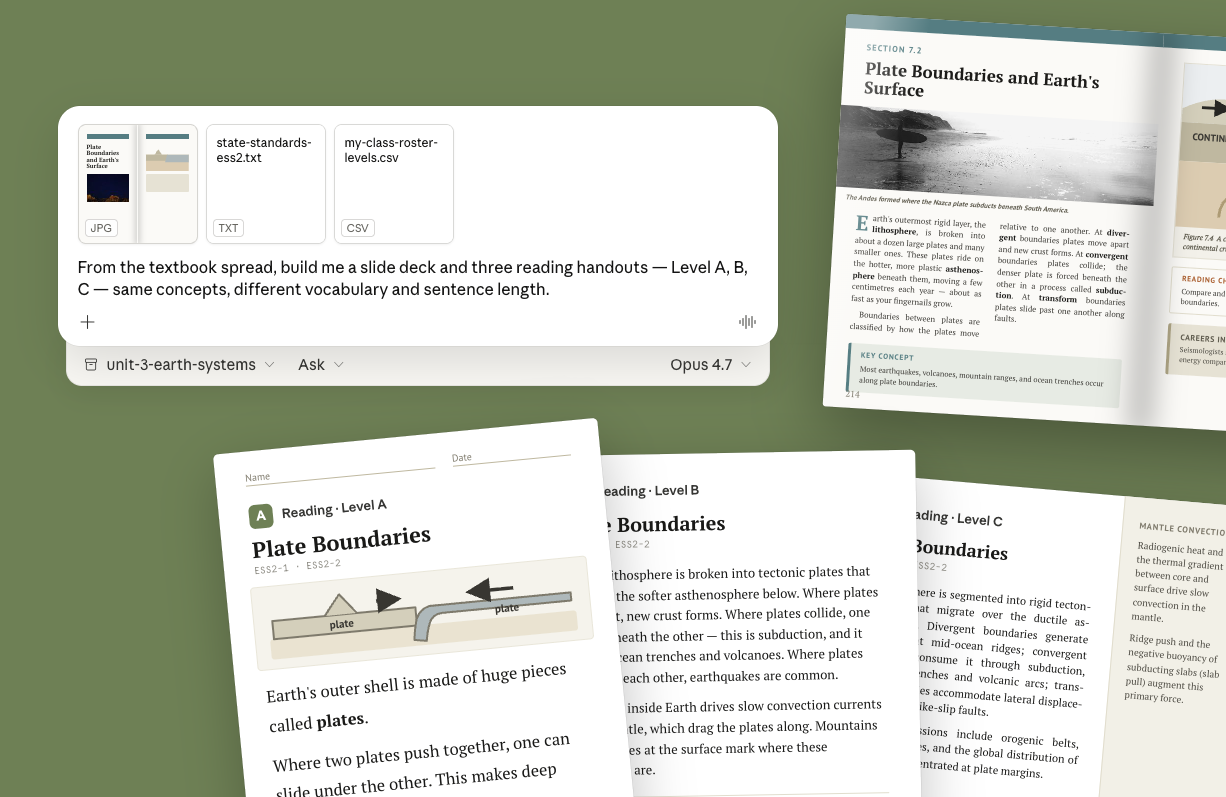
Adapt a standard textbook page to every reading level
Opus 4.7 reads a single source page in detail and returns a finished file for each audience that needs it. Here, one textbook spread becomes a slide deck and reading handouts at three levels.
Claude Cowork

Remote control your computer with Dispatch
Use Dispatch in Claude Cowork to send instructions from your phone. Claude runs the task on your computer — reading files, pulling data, searching the web — and the result is waiting when you sit down.
Claude Cowork

Kick off long-running computer tasks from the Claude mobile app
Check progress on a running task, give Claude Cowork the next instruction, and keep work moving — all from the Claude mobile app, without returning to your desk.
Claude Cowork

Handle a request while away from your keyboard
Use Dispatch in Claude Cowork to respond to requests from the Claude mobile app using everything on your computer. Claude finds the file, drafts the reply, and waits for your approval before sending.
Claude Cowork

Operate any computer app from your phone with Dispatch
In Claude Cowork, Dispatch with computer use lets Claude control your computer's mouse and keyboard from the Claude mobile app to work in apps that have no other interface Claude could reach.
Claude Cowork

Draft a credit memo from spreads and statements with Claude for Excel
Cowork pulls the borrower's filings and spreads through the S&P Capital IQ connector and reads the underwriting workbook from your deal folder. You take the ratios and exceptions into Claude for Excel to update the model, then bring the writeup into Claude for Word for the credit memo.
Claude Cowork

Validate reserves and draft filing narrative with Claude for Excel
Cowork reads your reserve workbook from the valuation folder and pulls prior filings and bulletins through the NAIC connector. You take the formula flags and reserve walk into Claude for Excel to clean the workbook, then bring the narrative into Claude for Word for the filing memo.
Claude Cowork

See your theory of change in chat with Claude
Describe your program and Claude draws the causal chain inline, inputs through impact, with every arrow clickable to show the assumption behind it. For when you know what you do but have never drawn why it works.
Claude.ai

Plan your syllabus
Attach your syllabus and Claude shows which weeks are locked by real prerequisites and which you're free to rearrange — right in chat as you work through the order.
Claude.ai

Work through grant options in chat
Claude plots every funder in one view — odds, award, deadline, effort — and you filter, test scenarios, ask for a prioritization, narrow down together. For decisions where no single sort order shows the full picture.
Claude.ai

Apply a formula as you learn it
Claude builds a blank scatter right in the conversation — you place the points, drag them, watch what happens to the fit. For when you can do the calculation but don't yet have a feel for it.
Claude.ai

Bring your whiteboard lesson to life
Work through how to teach a concept with Claude sketching alongside. The visual streams in as part of the back-and-forth — a thinking tool for your prep first, and a teaching tool if you take it further.
Claude.ai

Visualize the mechanism behind an explanation mid-chat
Claude builds an interactive visual inline as you talk through the problem — shaped to the specific question you're asking, with controls you manipulate and buttons that drill deeper. Useful when a concept has moving parts text can't show.
Claude.ai
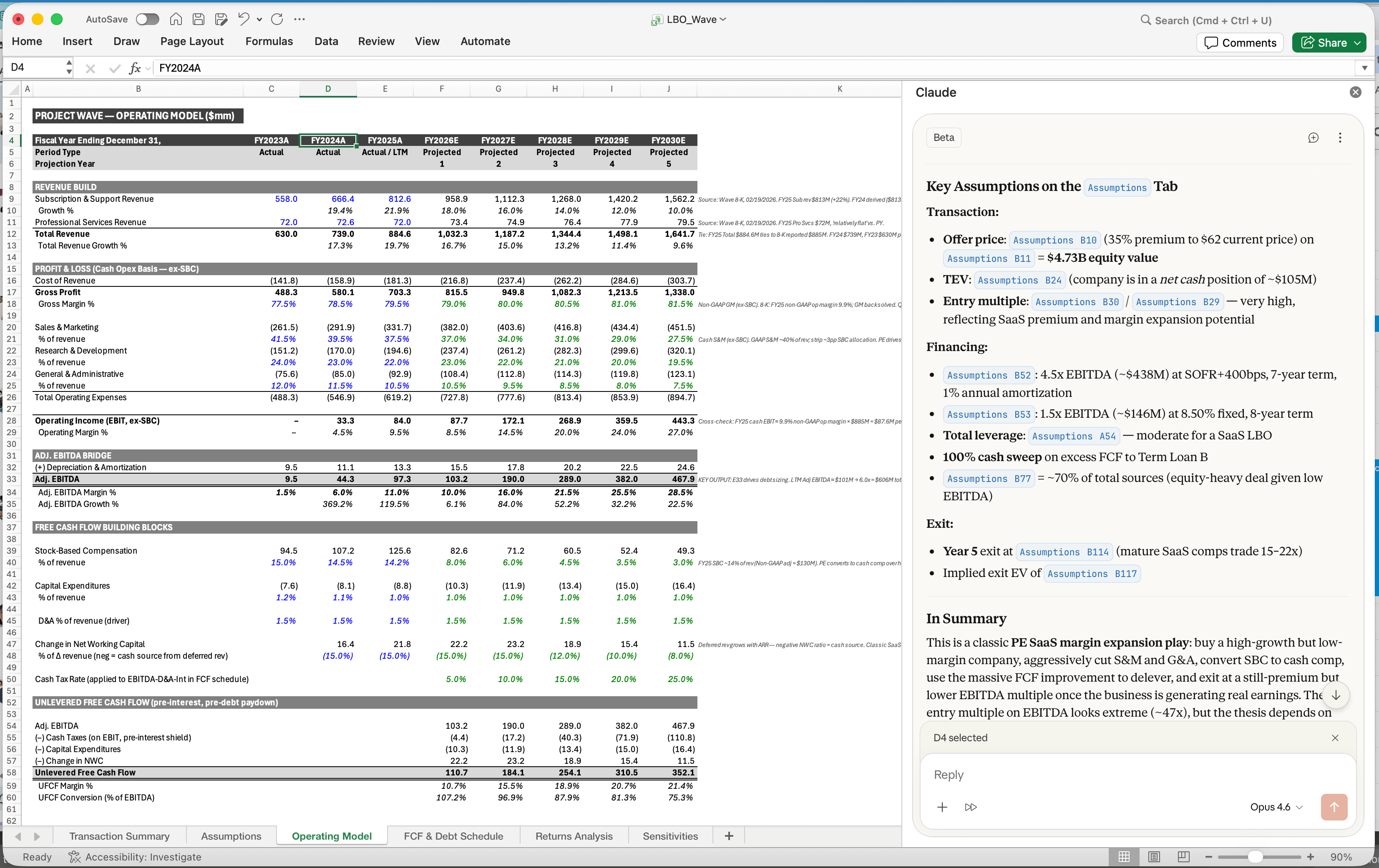
Update your financial model after earnings
Cowork pulls the release and transcript from S&P and checks them against your financial model. You take the flags into Claude for Excel to edit the cells, then open the deck in Claude for PowerPoint to build the page.
Claude in Excel
No posts for those filters
Try another search or clear some of your filters.