Prototype AI-Powered Apps with Claude artifacts
Learn how to rapidly build, test, and share AI-powered applications using Claude artifacts without API key management.
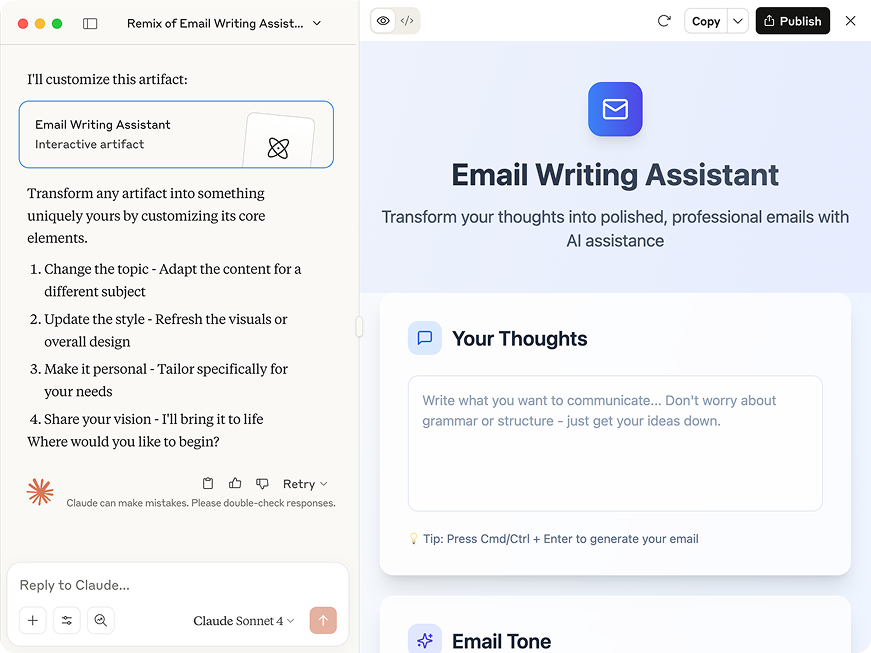
Traditionally, building AI applications has required a lot — managing API keys, stressing about costs, handling complex deployments, accidentally hitting rate limits, and more. With Claude’s artifacts, you can skip the hassle of configuration and build a fully functional, AI-powered application with Claude’s intelligence built right in. These artifacts use your existing usage limits—no API keys, no per-call charges, no deployment hassle — so you can focus on the fun stuff.
In this guide, you’ll learn how to rapidly build, test, and share AI-powered applications using Claude.
Using a limited text-based completion inside Claude.ai artifacts is quite simple.
Use this simple prompt to test that the API embedded in the artifact is working as expected:
Create a simple chatbot that uses Claude. Respond with compliments to every user input.
What you’ll see if you try this prompt, is that Claude will create a “compliment bot” where users can input anything and receive LLM-powered compliments in return!
The possibilities for creating artifacts that interact with Claude through an API are as endless as your imagination. Here’s four types of apps you could build to get started:
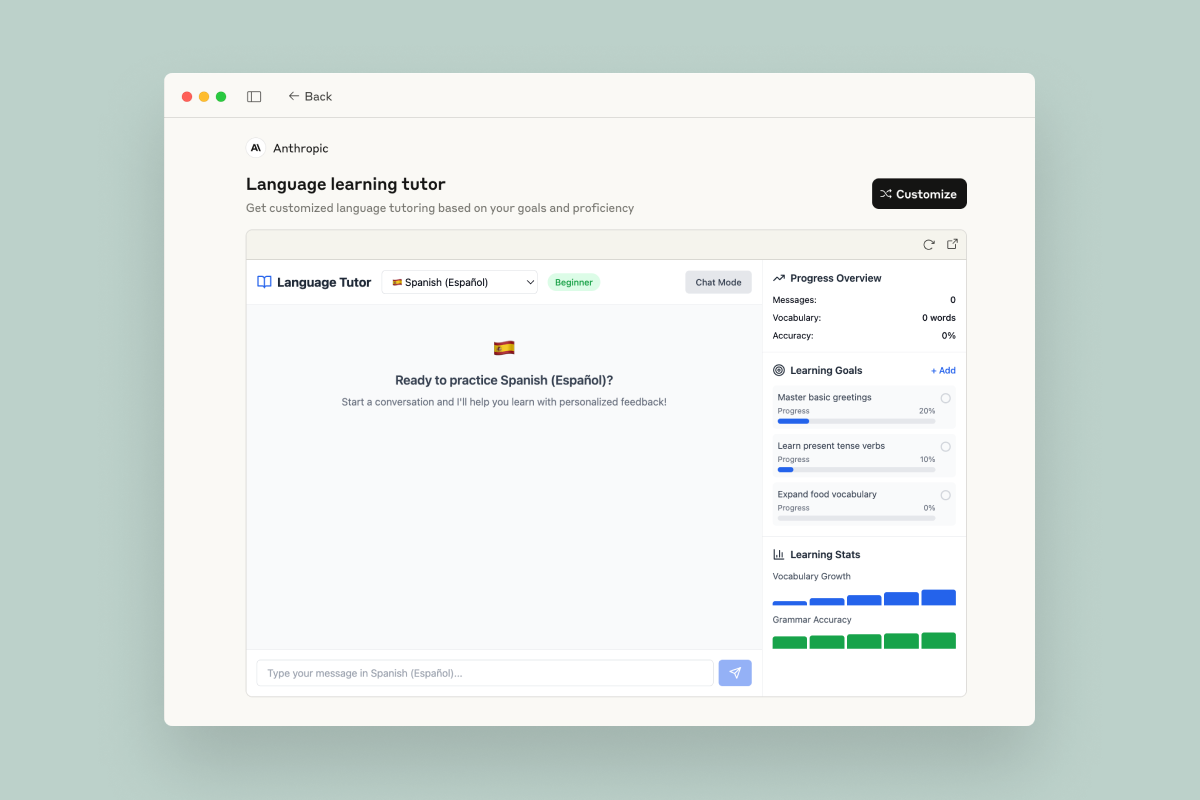

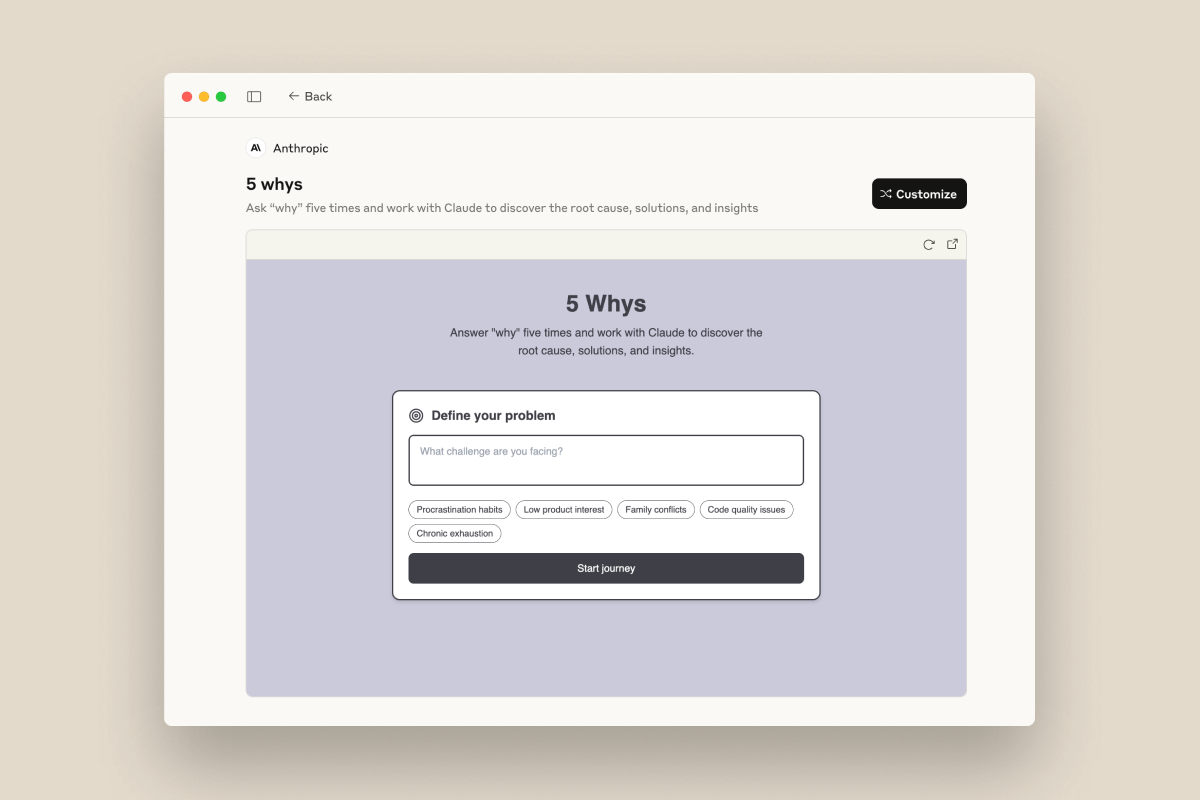

As you build with Claude, consider the following tips to get the best possible output.
Experiment with forking: Go back to any previous message, click "Edit" to create a new conversation branch, and try different approaches. You can always return to your original version, encouraging bold experimentation with styles, features, or entirely different directions.
Another benefit to prototyping with artifacts is that you can share your ideas without having to host them externally.
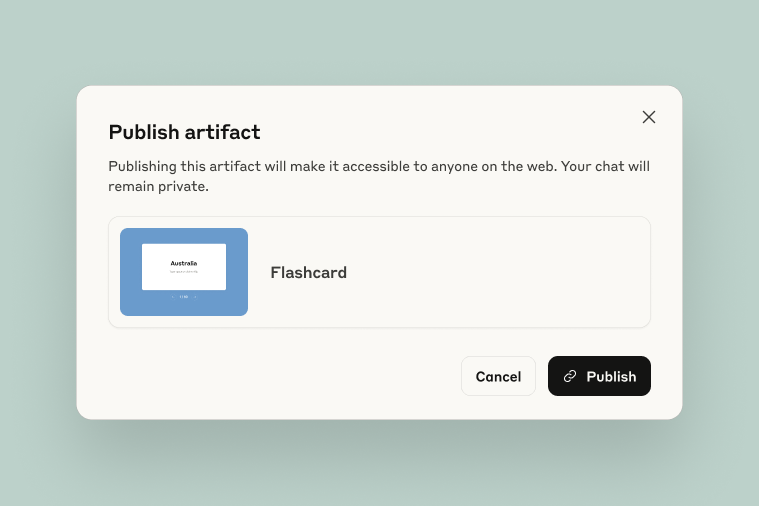
All you need to do is click the “Publish” button in the top right hand corner of the artifact menu and distribute the link.
Note that this link is specific to the version of the artifact you shared, and that anyone with this link can access your creation until you unpublish it. (You can always come back to the “published” tab to see all artifacts you’ve previously shared.)
While artifacts are excellent for prototyping and sharing AI-powered apps, they're best for testing and demonstration. At some point, you'll likely want to implement proper API key management and build more robust infrastructure. Eventually, you’ll also run up against a few technical limitations in claude.ai (like the lack of interleaved scripts).
Whatever the reason, when you’re ready to take your artifact to the next level, you’ll be able to copy Claude’s code and paste it into your editor of choice. From there, Claude Code is ready to step in.
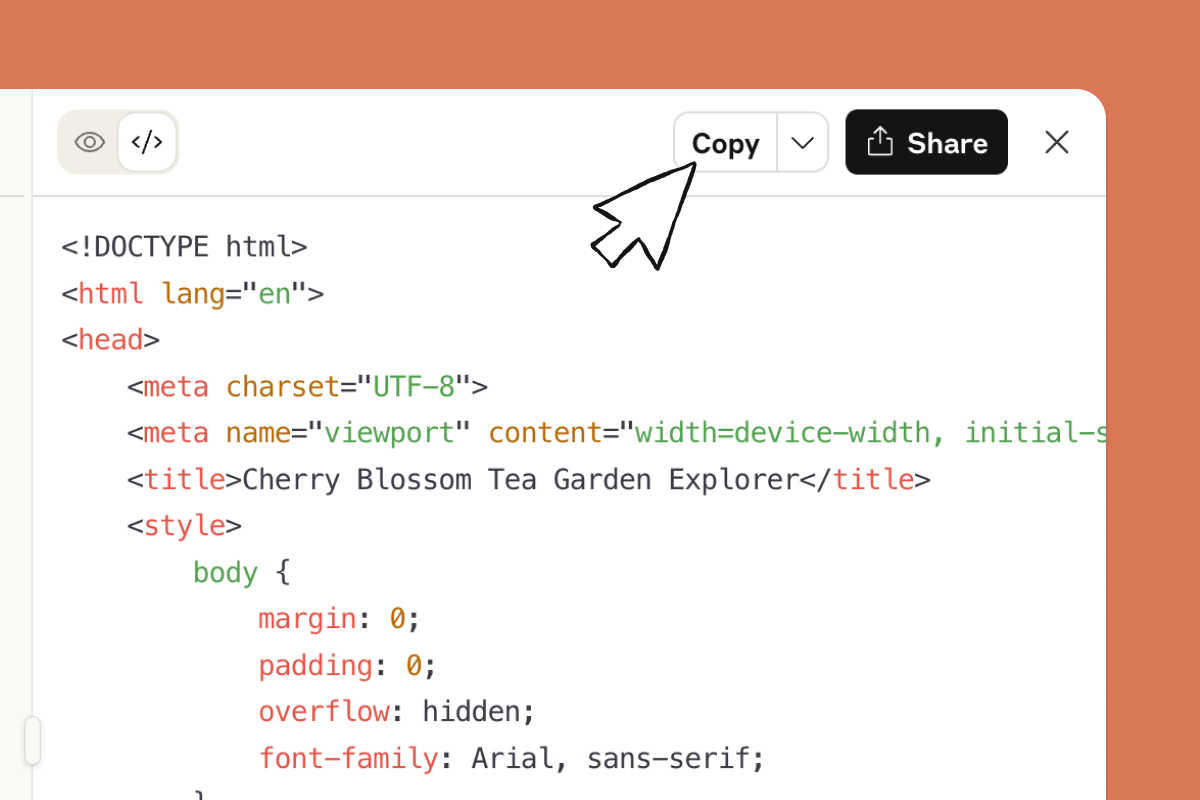
As you build, keep working with Claude as a brainstorming partner for next-steps and new ideas, using Claude Code for tactical execution. Before you know it, you’ll have a fully validated, production-ready app.
Artifacts are self-contained pieces of code that Claude creates during conversations. They appear in a dedicated panel next to the chat, making them easy to view, edit, and interact with in real-time. Plus, they can be shared to the world in just a few clicks.
For AI app prototyping, artifacts offer a few key advantages to traditional development flows.
When someone with a Claude account clicks your shared link, they can customize and modify the artifact by talking to Claude. When they do so, they create their own copy rather than editing your original—so your version stays exactly as you made it while they develop their own variation. Great for quick iteration and record-keeping of past app ideas.
Whoever uses your app incurs usage on their plan. In other words, when you're building and testing the API usage counts against your plan, but when others use your shared app, the usage is on their plan instead.
In simplest terms, when someone uses your Claude-powered app: